

Interface

BC Widgets. A Business Central Interface Your Team Will Actually Enjoy Using.

Powered by Braintree & Microsoft Dynamics 365 Business Central


Give every user a graphical, personalised way into Business Central.
BC Widgets replaces or runs alongside the standard role centre with preconfigured pages for every module, ready-made colour schemes, and tools to build your own dashboards, no developer required.

The Cost of a Generic Interface

Business Central’s standard role centre works, but it isn’t built around how your people actually use it. That gap leads to real friction:

Slower onboarding for new or occasional users

Layouts cannot be changed without a developer

Colours cannot be changed at all in the standard role centre

No easy way to see the handful of numbers that matter most, without a dedicated dashboard build

Manual workarounds and one-off developer requests only amplify these risks, causing:

Recurring, billable requests for small interface changes

Slower user adoption and longer training time

A poor experience on touch-screen devices

How BC Widgets Helps

BC Widgets gives every user an interface that’s easy to use, personal to them, and configured by you, not a developer:

From install to your own role centre

A repeatable path from install to a role centre that fits each team.

INSTALL

01Install BC Widgets in your Business Central environment as an extension.
02Open Widgets Setup. Colour definitions, layout templates and page setups come pre-installed.
03Start from the preconfigured page for each major module.

CONFIGURE

01Choose a colour scheme from the colour list, or add your own with a hex code.
02Apply a layout template, then adjust banner, button and panel sizes to suit.
03Set the page as a user’s default role centre, or run it alongside the standard one.

BUILD

01Add buttons and section headings for the functions each role uses every day.
02Generate widgets from your own data, such as customers by posting group or debtors by age.
03Put the handful of numbers that matter most on one screen, and keep it current without a developer.

Key Features

Full module coverage: a preconfigured page for every core Business Central module.

Preconfigured colour templates: eight ready-made colour schemes to choose from.

Self-service configuration: change page layouts and colour schemes without developer involvement.

Dashboard builder: tools to build custom dashboards showing key business information.

Configurable record fields: generic fields added to vendor, customer and item pages, with configurable names, visibility and content.
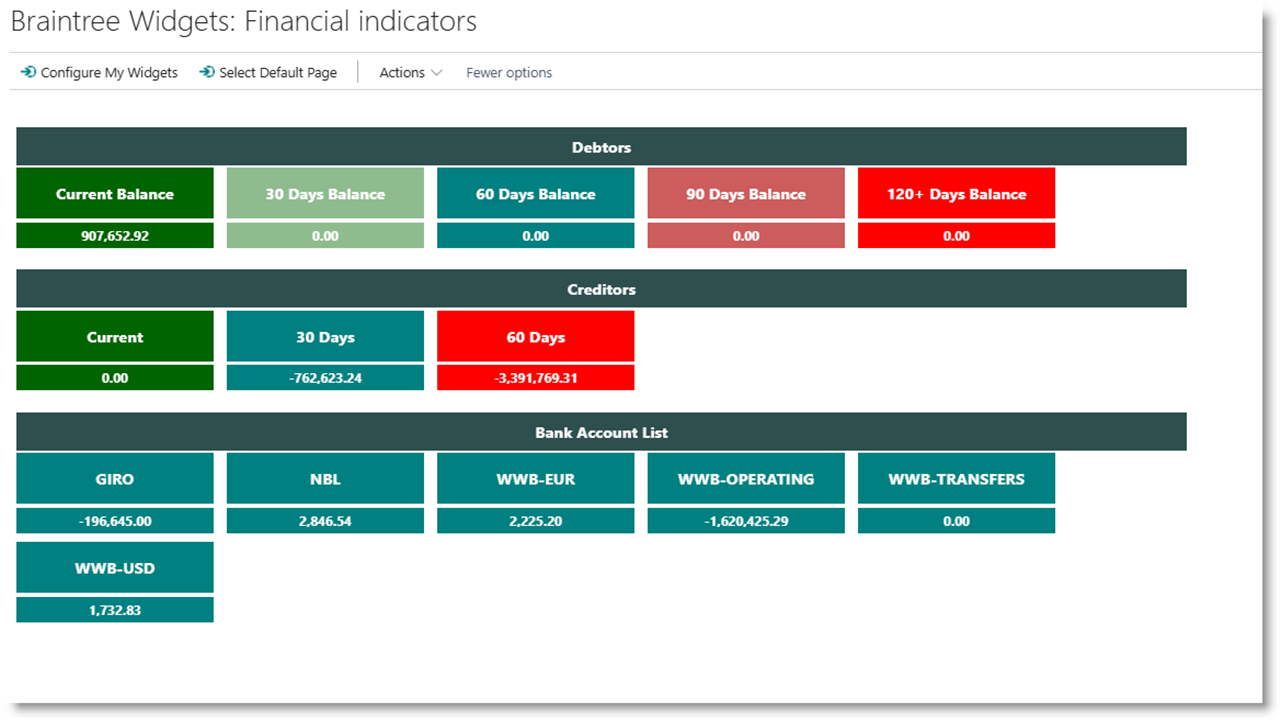
BC Widgets financial indicators dashboard in Business Central: debtors, creditors and bank account tiles

Our Commitment to You

When you choose Braintree BC Widgets, we promise:

Requirements

Microsoft Dynamics 365 Business Central, with BC Widgets installed as an extension.

Make Business Central Your Own, Today

Book your consultation.
Four BC Widgets pages in Business Central: control centre, purchasing, sales and receivables, and financial indicators

Fill out the form below to schedule your personalised consultation or to get more information.