All documentation

CRM24

All documentation

CRM24

DOCUMENTATION

Customer Accounts and Contacts

Accounts

Use the side navigation Pane to see the List Views on Accounts.

Screenshot: Customer Accounts and Contacts

Click on a record to Open / View / Edit. In an opened record, use the top command bar buttons to perform actions on that record.

Summary:
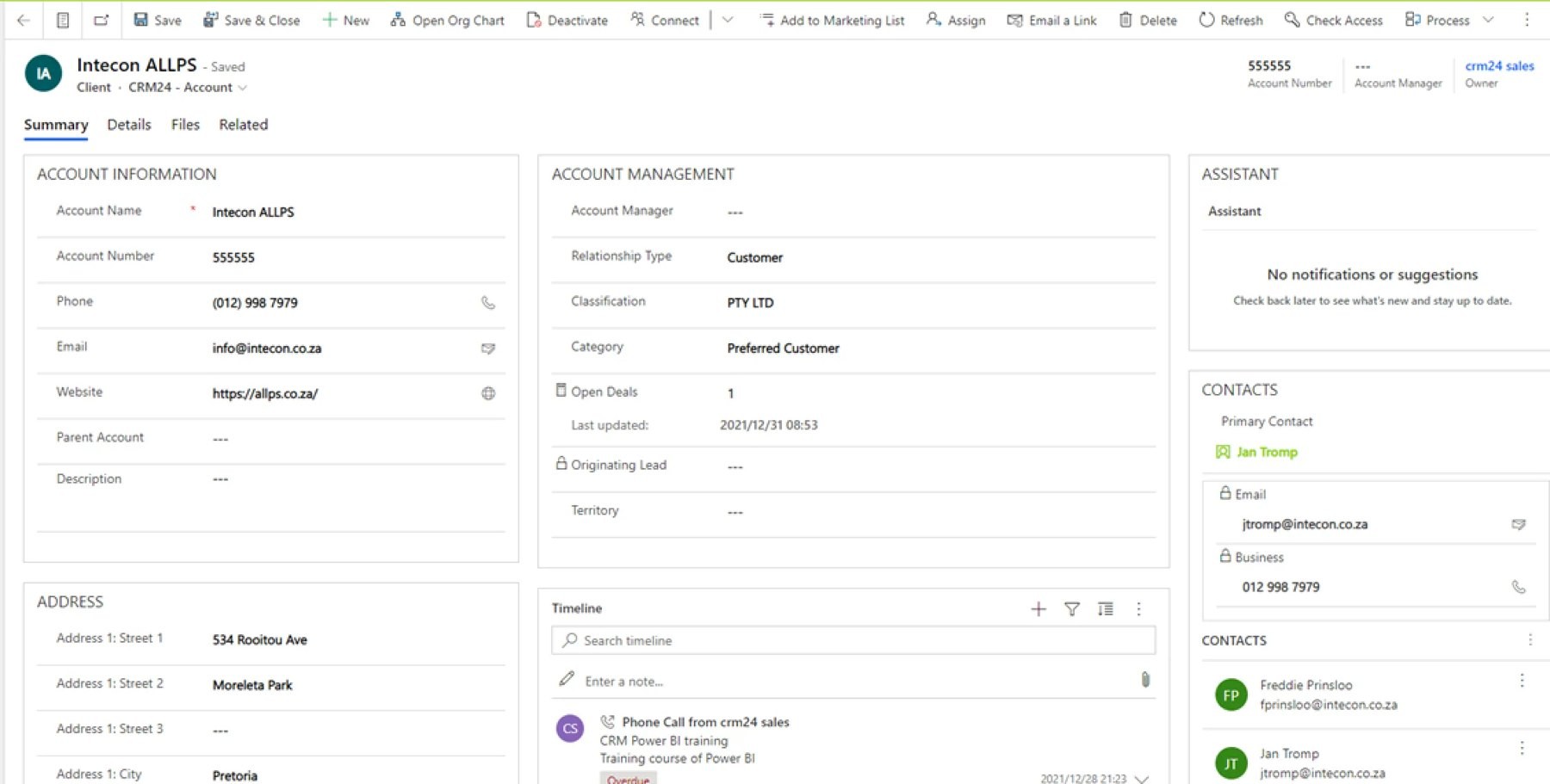
Screenshot: Customer Accounts and Contacts

Details:

Screenshot: Customer Accounts and Contacts

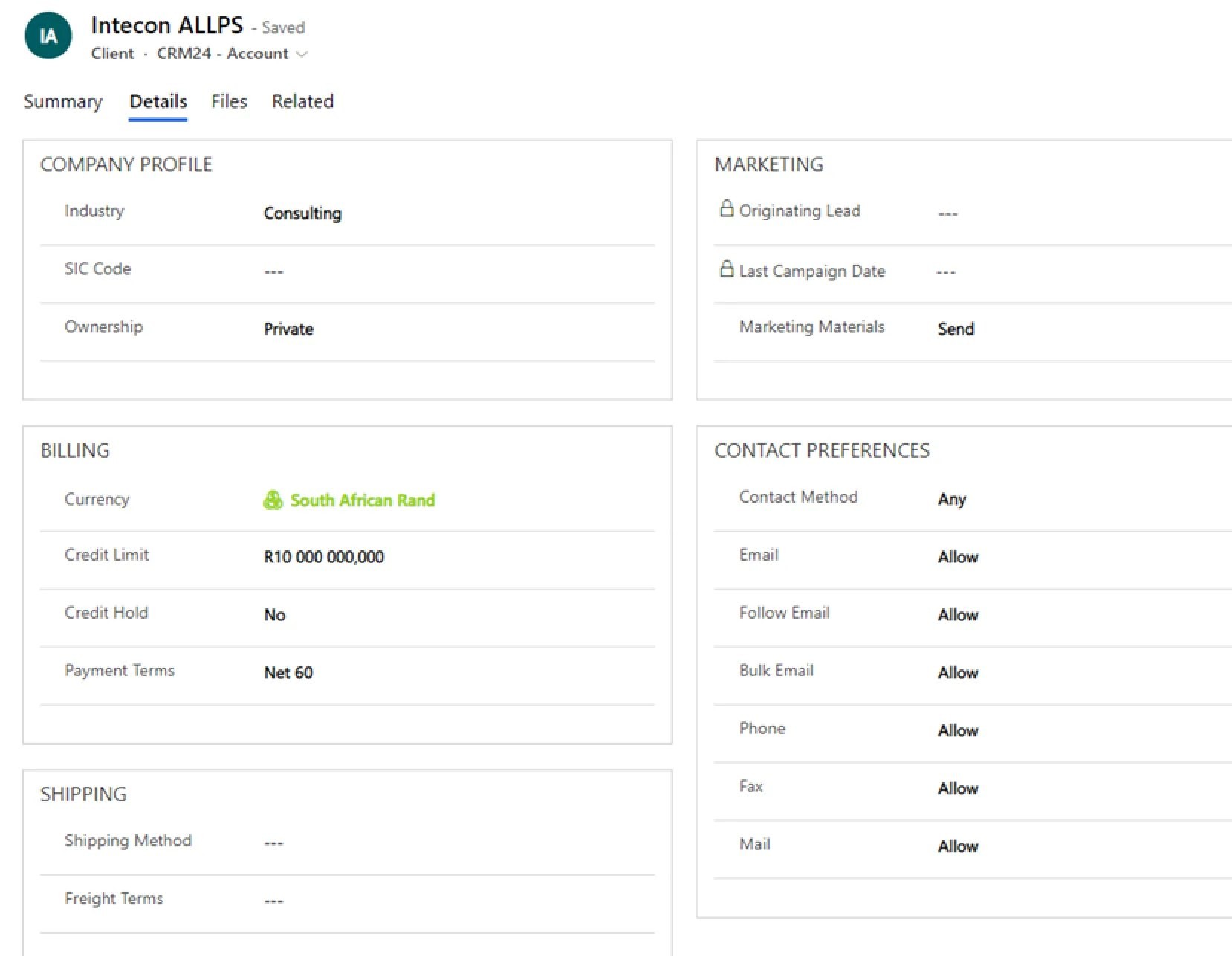
Various other related records can be added to an Account.

Screenshot: Customer Accounts and Contacts

Activiites i.e. Tasks can be created on the Account.
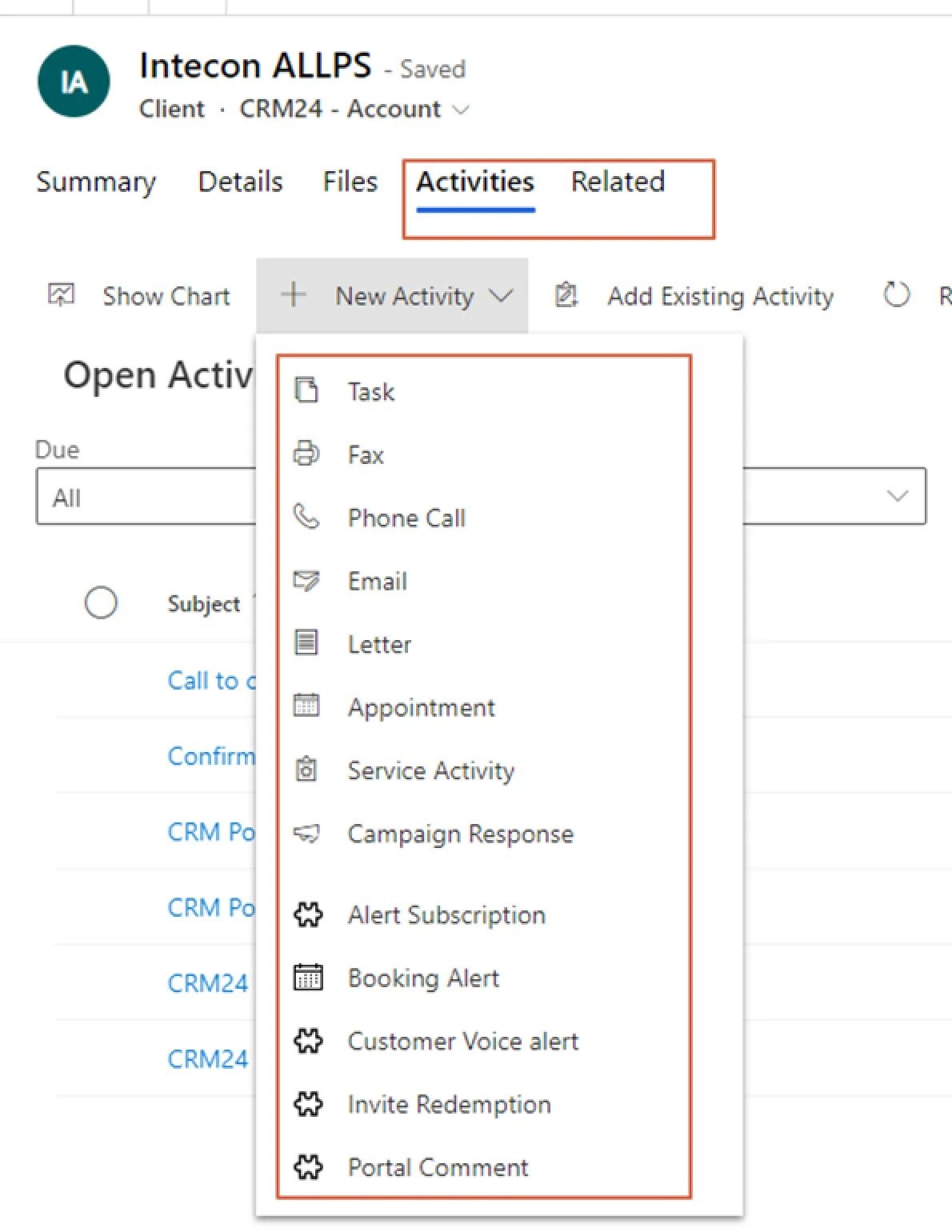
Screenshot: Customer Accounts and ContactsScreenshot: Customer Accounts and Contacts

Contacts

Use the side navigation Pane to see the List Views on Accounts.

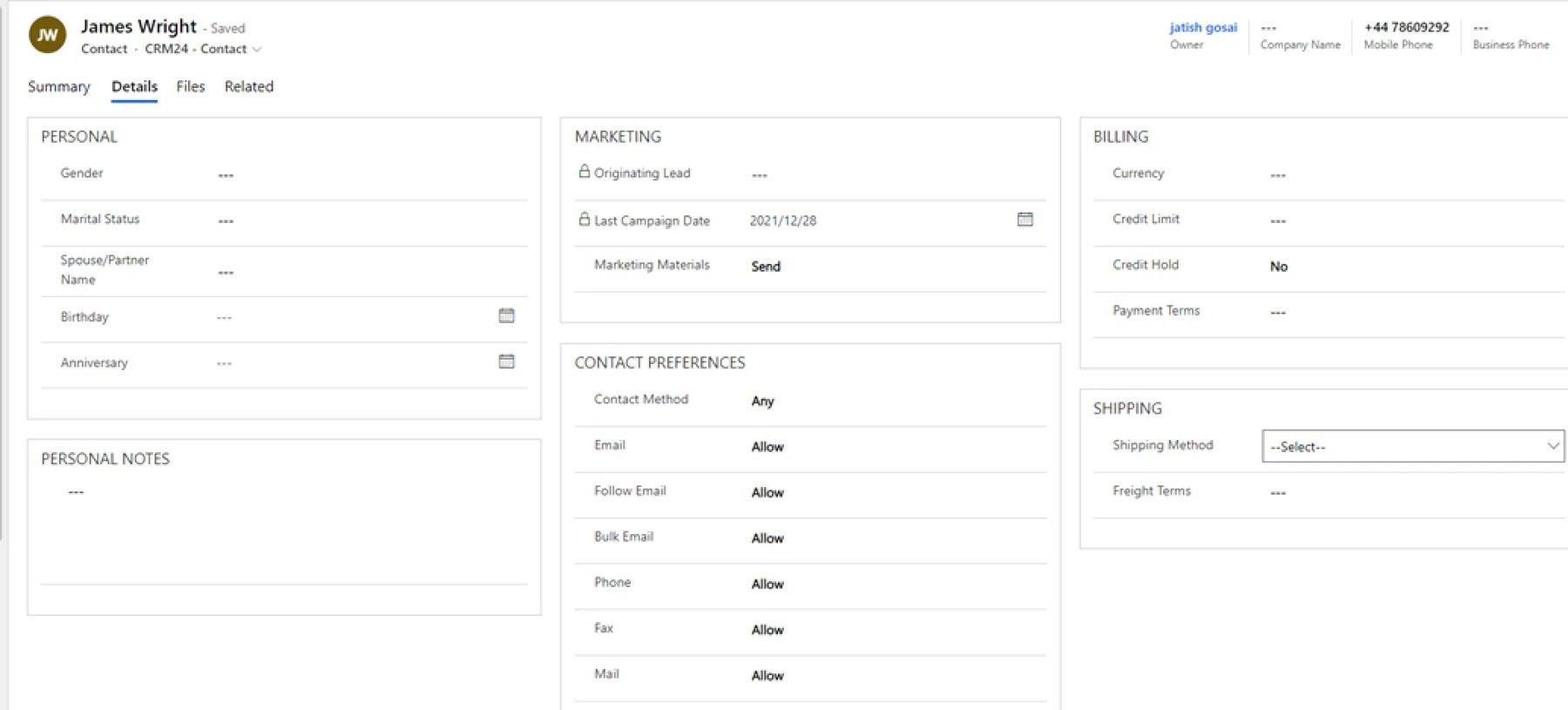
Screenshot: Customer Accounts and Contacts

Summary:

Screenshot: Customer Accounts and Contacts

Detail:

Screenshot: Customer Accounts and Contacts

Various other related records can be added to an Account.

Screenshot: Customer Accounts and Contacts

Activities can be created against Contacts.

Screenshot: Customer Accounts and ContactsScreenshot: Customer Accounts and Contacts

Need help with your environment?

Use your agreed Braintree support channel, or contact the team to confirm the right support route.

Contact Braintree

Braintree

Specialists in Business Applications,
Modern Workplace and Azure.

Microsoft
Solutions Partner

Built By Dynamite

© 2026 Braintree (Pty) Ltd

Braintree

Specialists in Business Applications,
Modern Workplace and Azure.

Microsoft
Solutions Partner

Built By Dynamite

© 2026 Braintree (Pty) Ltd

Braintree

Specialists in Business Applications,
Modern Workplace and Azure.

Microsoft
Solutions Partner

Built By Dynamite

© 2026 Braintree (Pty) Ltd