
DOCUMENTATION
GL Budget
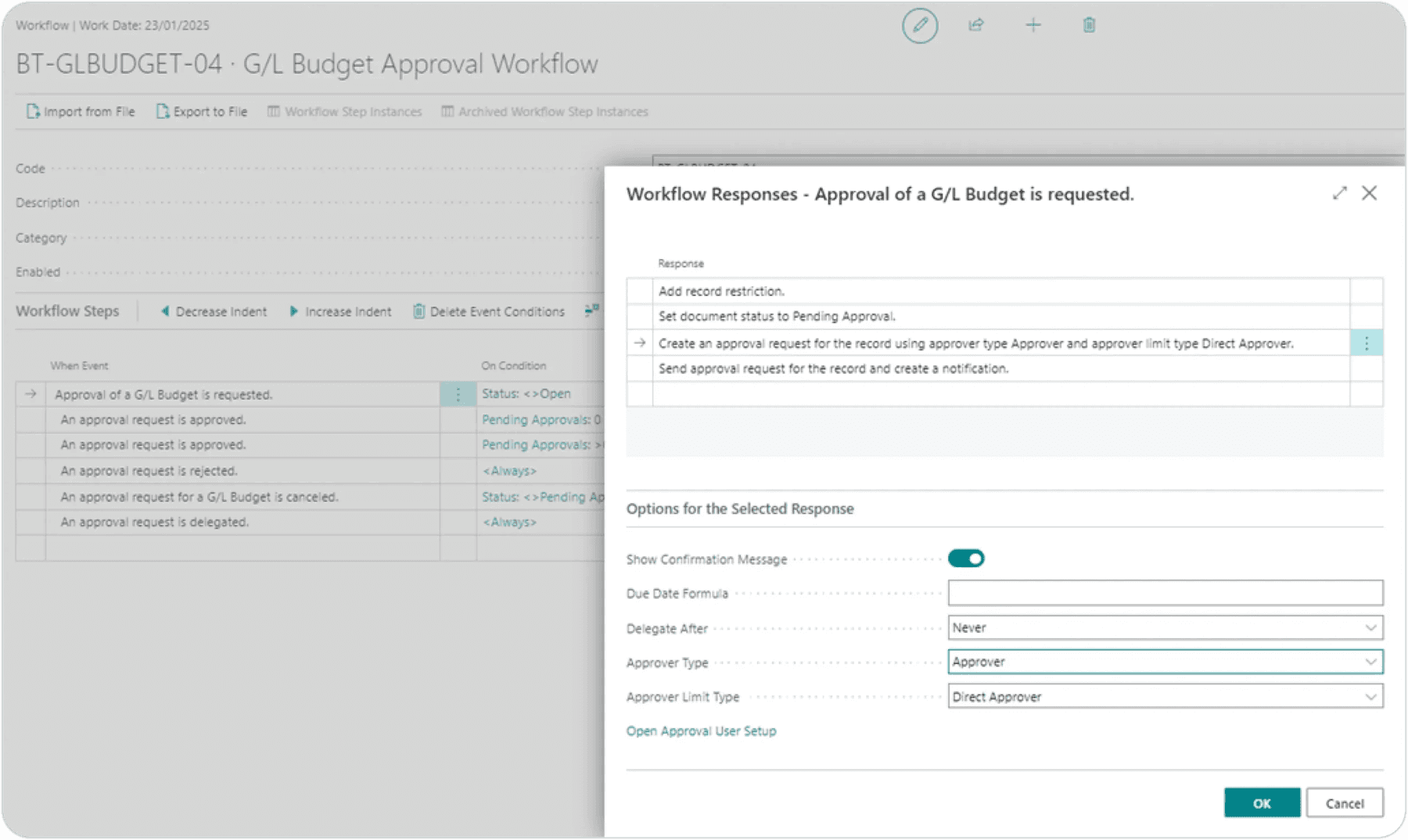
G/L Budget Approval Workflow
Navigate to Workflow Templates.
Select G/L Budget Approval Workflow.
Click on New.
Click on New Workflow from Template.

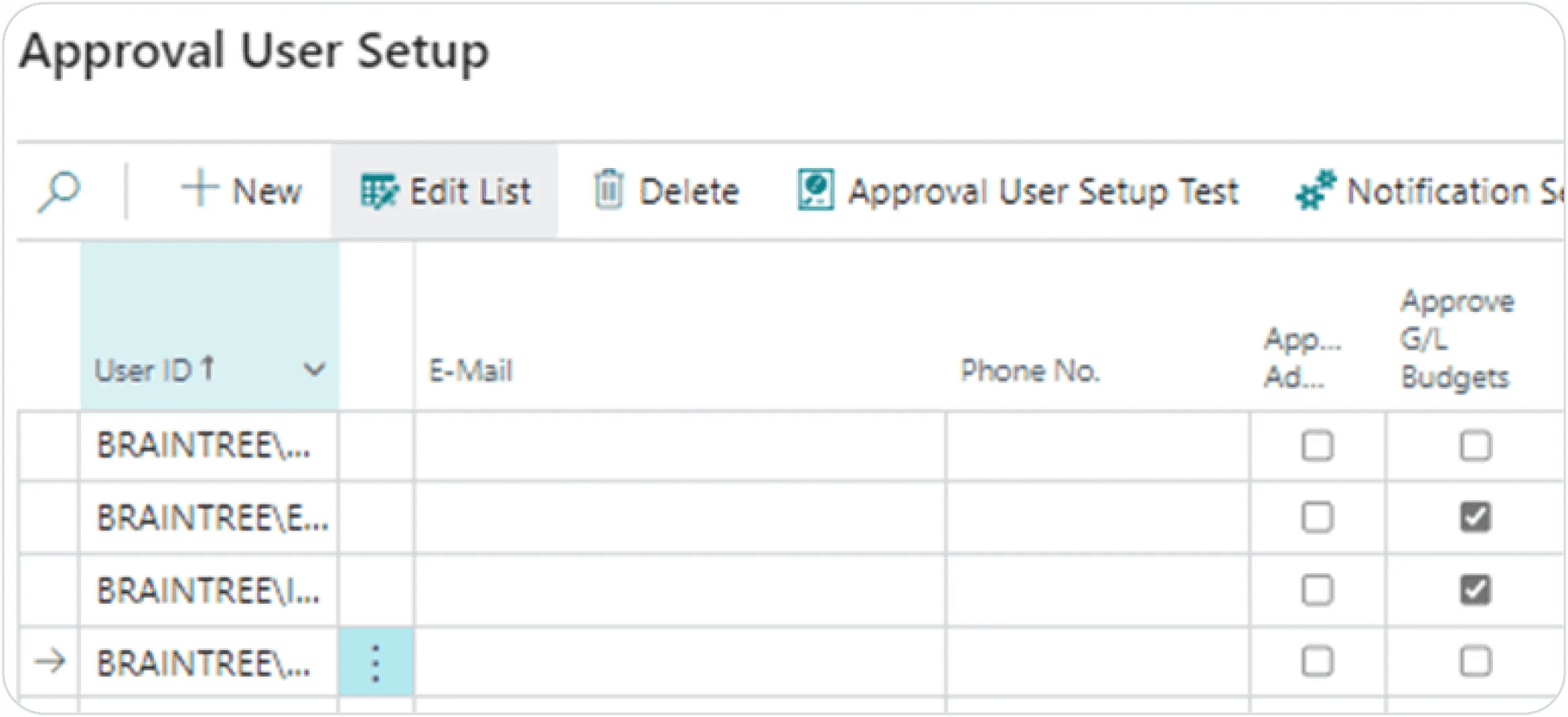
Capture desired conditions such as who the approver should be under Approval User Setup, the “Approve G/L Budgets” field should be ticked for the specified approver.
Test Instructions
Navigate to G/L Budgets Open the G/L Budgets page in Business Central.
Create a New Budget Click on New to create a budget.
Provide the necessary details for the budget.

Provide the necessary details for the budget.
Click on Edit Budget to open the budget for editing.
Enter the required values in the budget lines.
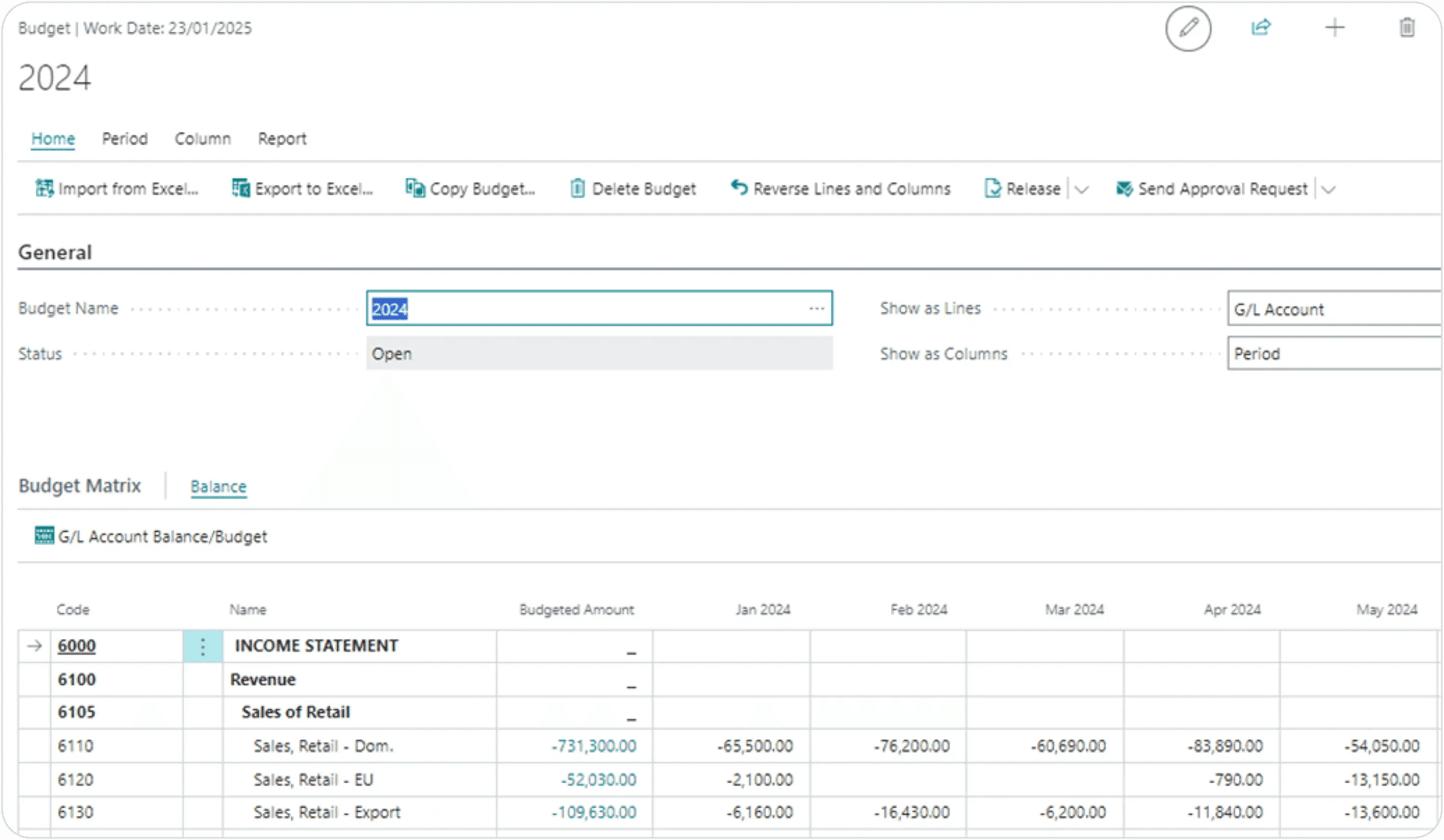
Attempt to Release the Budget.
Click Release without sending for approval.
Verify the system displays the message:
“This document can only be released when the approval process is complete.”
Send for Approval.
Click on Send Approval Request to initiate the approval process.
Confirm that the Status changes to Pending Approval.

Approver notification:
Verify that the approver receives a notification about the approval request.
Approval process:
Simulate or allow the approver to approve the request.
Confirm release:
Ensure the Status of the budget changes to Released after approval is granted.
Need help with your environment?
Use your agreed Braintree support channel, or contact the team to confirm the right support route.
Contact Braintree
