
DOCUMENTATION
Activation
In Business Central, search for and open “Braintree App Licenses”.

Enter your e-mail address.
Select the PowerFlow entry.
Click Request Subscription/Trial License.
We will activate an evaluation license and send it to the email address you specified. The mail will contain a license key. Copy that license key then return to the Braintree App Licenses.
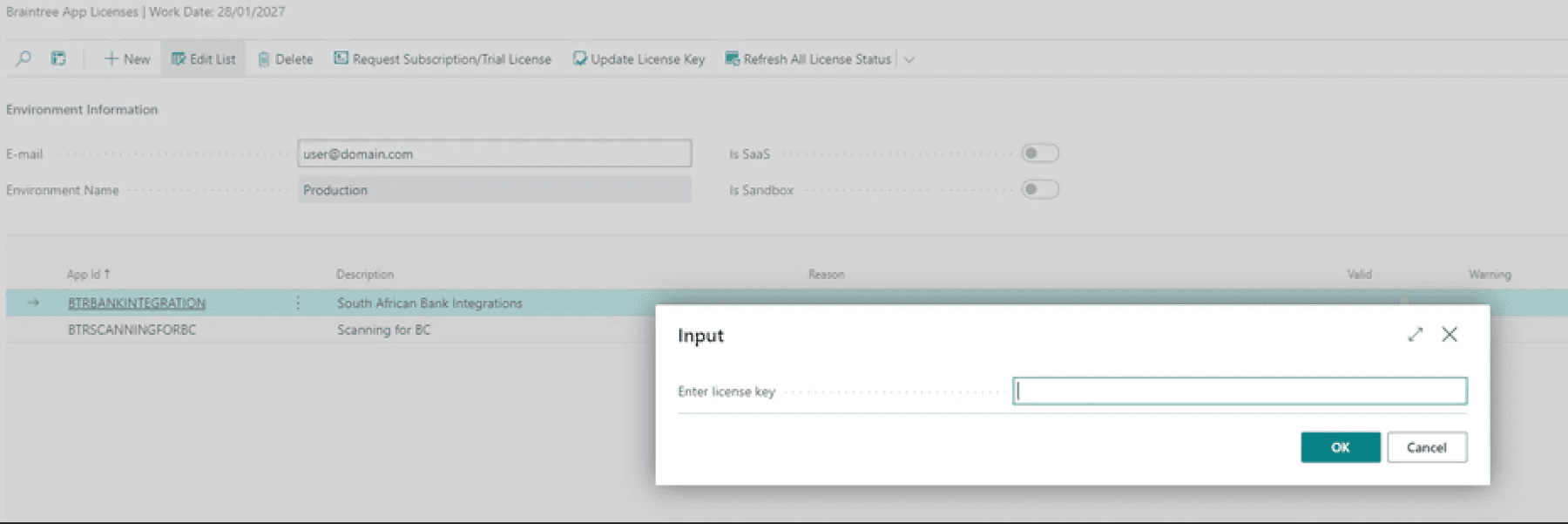
Select the PowerFlow entry.
Click Update License Key.
Enter the key on the page that opens and click Ok. You should get a message that states “Thank you for registering”.
Need help with your environment?
Use your agreed Braintree support channel, or contact the team to confirm the right support route.
Contact Braintree
