
DOCUMENTATION
Operation
Editing preferential procurement parameters on a vendor
Go to the vendor list.
Open a vendor Card.
Scroll to the Preferential Procurement tab.
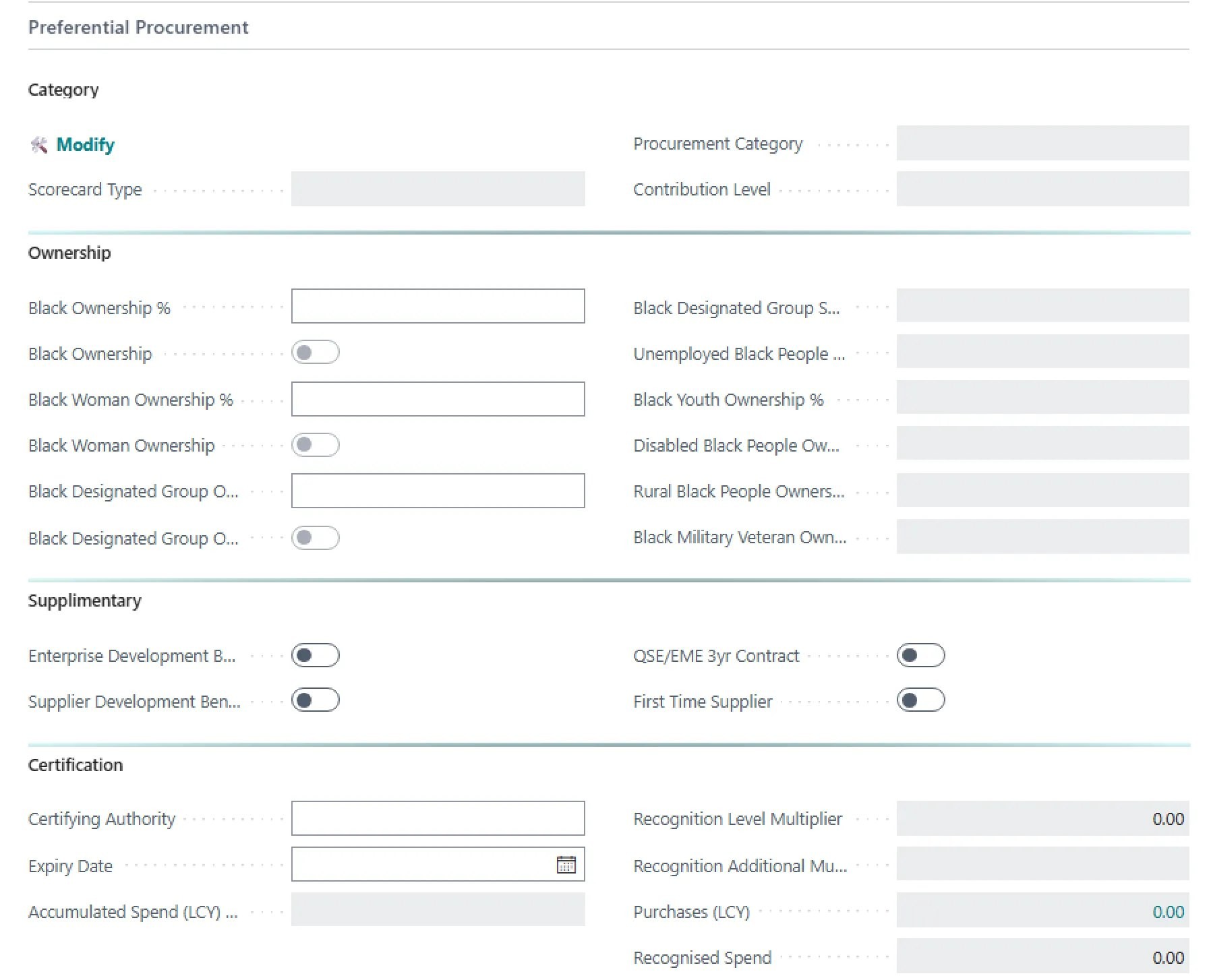
Click on ‘Modify’.

Capture the vendor’s classification:
Scorecard type
Procurement Category
Contribution level

Complete ownership details and supplimentary details that may be applicable to the vendor.
Capture the certifying authority and the expiry date.
Reviewing statistics
From the Vendor list, go to the Reports menu. Select Preferential Procurement Statistics to review on the screen.
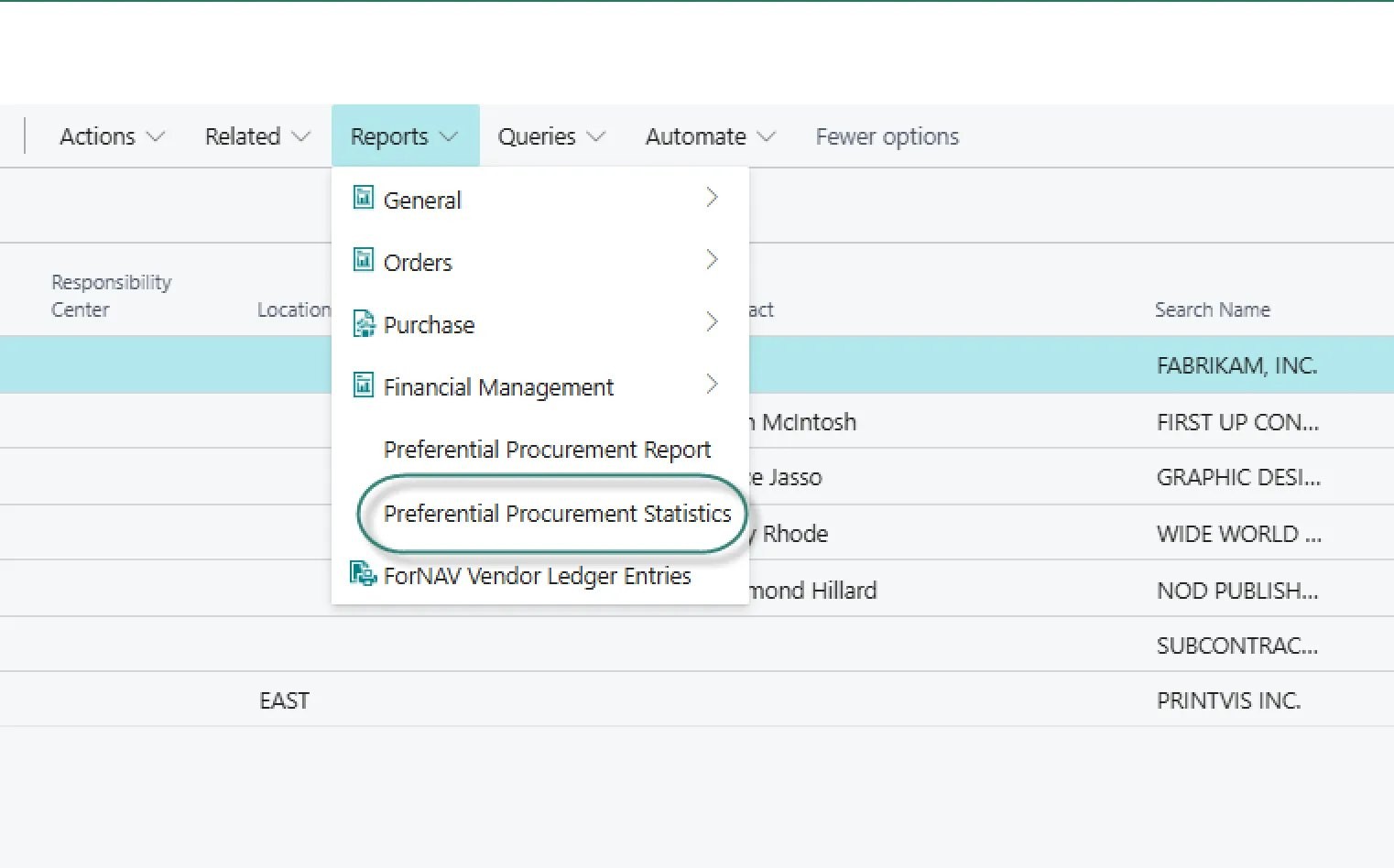
The report will open. You can use standard Business Central analysis mode to examine the data.
Need help with your environment?
Use your agreed Braintree support channel, or contact the team to confirm the right support route.
Contact Braintree
